Google Business Profile Categories: A Complete Guide to Primary and Secondary Categories
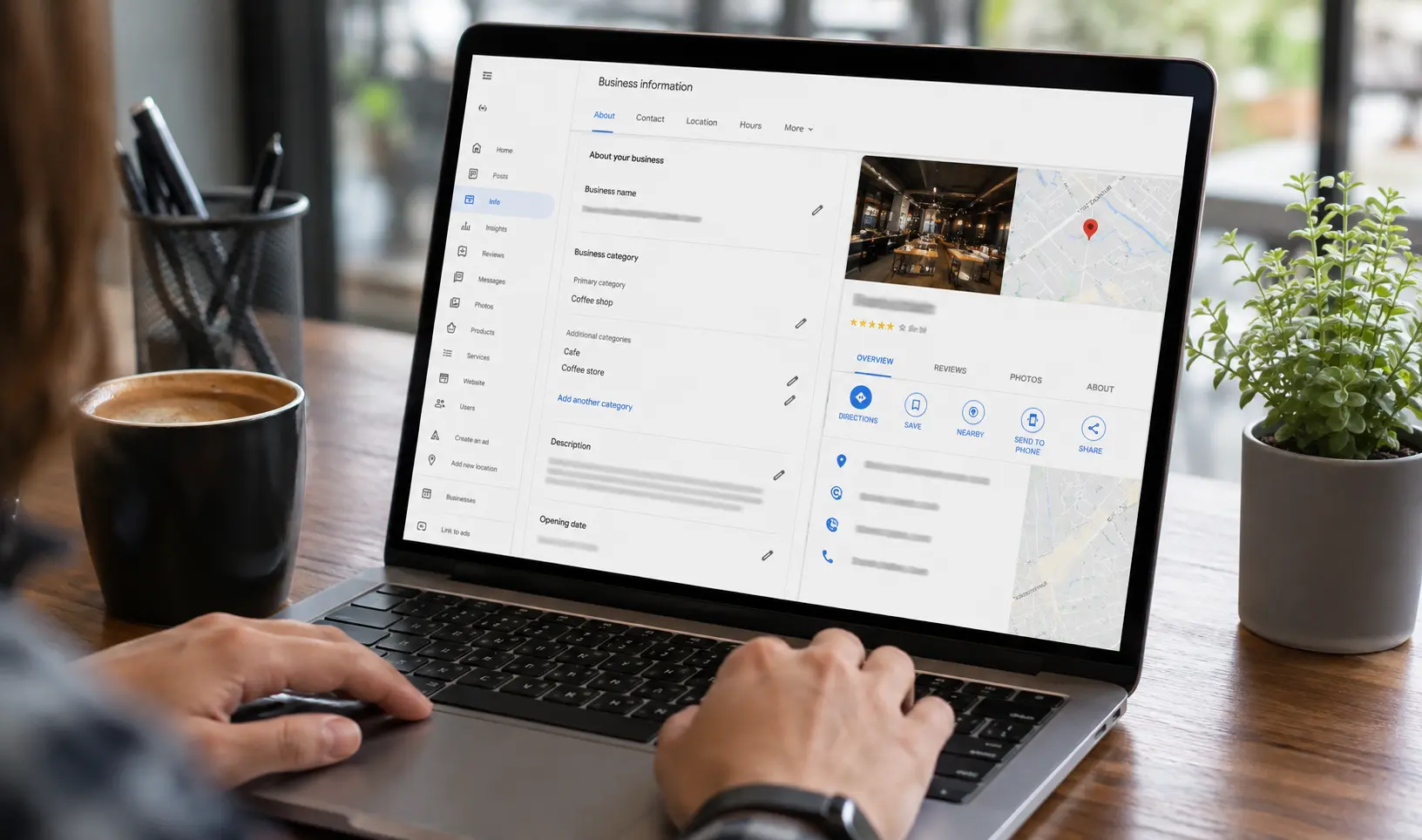
Google Business Profile categories are one of the strongest local ranking signals you control. Learn the difference between primary and secondary categories, how many you can add, and how to pick the right ones to win the Local Pack.
Fast Answer
Google Business Profile categories are standardized labels, chosen from a list of roughly 4,000 options, that tell Google what your business does. You get 1 primary category plus up to 9 secondary categories, for 10 total. Your primary category is one of the strongest local ranking signals Google uses, so picking the most specific match, not the broadest one, is the single biggest lever for Map Pack visibility.
What Google Business Profile Categories Actually Are
A Google Business Profile category is a predefined tag Google uses to classify what your business does. You cannot type in your own custom category. You have to select from Google's existing list, and that list currently sits at close to 4,000 entries, ranging from "Pizza Restaurant" to "Family Law Attorney" to "HVAC Contractor."
Every profile needs exactly one primary category. This is the category that Google treats as the core answer to the question "what is this business." Alongside it, you can add up to 9 secondary categories that describe additional services or products you offer. Add them together and the maximum is 10 categories per listing.
Categories are not a minor setup field you fill in once and forget. Google's own guidance confirms categories are part of how it decides whether a business should be added as its own separate profile or grouped under an existing one, and how services within a single business should be represented. Google Support
Why Categories Matter So Much for Local Ranking
Google ranks local results using three core signals: relevance, distance, and prominence (we cover all three in detail in our guide to Google's local ranking factors). Your category selection sits directly inside the relevance signal. It is the fastest, cleanest way to tell Google's algorithm what your business is, before it ever reads a review, a website page, or a citation.
Google's own Business Profile help documentation states plainly that businesses with complete, accurate information, including category, are more likely to appear in relevant local searches, and that inaccurate information can keep a profile from showing up at all.
In practical terms, this means two businesses with near identical reviews, photos, and websites can rank completely differently in the Local Pack purely because one picked a broad, generic category like "Restaurant" and the other picked a precise one like "Vegan Restaurant" or "Halal Restaurant." Specificity wins because it removes ambiguity for the algorithm.
Primary Category vs Secondary Categories
|
Aspect |
Primary Category |
Secondary Categories |
|
Quantity allowed |
1 (required) |
Up to 9 (optional) |
|
Ranking weight |
Highest, treated as the main relevance signal |
Lower, supports niche and long tail queries |
|
Purpose |
Defines what the business fundamentally is |
Describes additional services or products offered |
|
Visibility |
Shown publicly on the profile |
Not always shown, but still used for matching |
|
Risk if wrong |
Major, can misclassify the entire business |
Moderate, can dilute relevance if unrelated |
|
Recommended count to use |
Always 1 |
Typically 2 to 4 highly relevant ones, not all 9 |
Filling all 9 secondary slots is technically allowed, but it is rarely the right move. Loading unrelated or loosely related categories onto a profile dilutes the relevance signal Google uses to match you to specific searches, and in some cases it can trigger a quality review of the listing.
How to Choose the Right Primary Category
Start with the single most accurate description of your core business, not the broadest one that technically fits. A vegan cafe should choose "Vegan Restaurant," not the generic "Restaurant" or "Cafe." A family law firm should choose "Family Law Attorney," not "Law Firm." Hyper specific categories match hyper specific search intent, and that is exactly what the Local Pack algorithm is trying to reward.
A few practical rules that hold up across most industries:
- Match the category to what you want to be known for, not everything you occasionally do. If a seasonal shift matters (an HVAC company doing more furnace repair in winter and more AC work in summer), you can update the primary category to reflect the current priority.
- Use secondary categories for genuinely core services, not every product or service you offer. Google's own guidance gives a clear example: a grocery store with a bakery and deli should select "Grocery Store" as primary, then add "Bakery" and "Deli" as secondary, not a long list of unrelated tags.
- Do not add categories for independently operated departments. If a health club has an independently owned cafe inside it, that cafe needs its own separate profile with "Cafe" as its own primary category, not a category bolted onto the health club's listing.
- Research competitor categories before finalizing yours. Looking at what the top 3 ranking businesses in your area use as primary and secondary categories gives you a realistic benchmark for what Google considers a strong relevance match in your niche.
Common Category Mistakes That Hurt Local Rankings
Choosing a category that is too broad. Picking "Restaurant" instead of "Sushi Restaurant" when sushi is your actual specialty means you are competing against every restaurant in the area for a signal that does not represent your real specialty.
Category stuffing. Adding 8 or 9 secondary categories, many only loosely connected to the core business, in an attempt to rank for more searches. This typically backfires. It confuses the relevance signal instead of strengthening it, and can flag the listing for a manual quality review.
Never revisiting categories after setup. Google adds, renames, and retires categories on a rolling basis. A category that was accurate 2 years ago may no longer exist, or a more specific option may now be available that did not exist when the profile was first created.
Changing the primary category right before a major campaign or busy season. Changing a primary category can trigger a temporary re-verification requirement and a short term ranking fluctuation while Google reprocesses the listing, typically resolving within a few days to a couple of weeks. Time this during a slower period, not right before your peak season launch.
How to Add or Change Your Categories
The process takes under 5 minutes on both desktop and mobile:
- Sign in to the Google account that manages your Business Profile.
- Open your profile and select Edit Profile, then Business Information.
- Under the About section, select Business Category.
- Enter and select your primary category from the suggested list as you type.
- Select Add Another Category to add secondary categories, one at a time, up to 9.
- Save the changes.
Changes to categories are not always instant. It can take anywhere from 24 to 48 hours, and occasionally up to a couple of weeks, for Google to fully reprocess the profile and reflect the change across Search and Maps. If you are asked to reverify your business after a category change, this is a standard trust and safety step, not an error.
Real World Category Examples
|
Business Type |
Weak Primary Choice |
Strong Primary Choice |
Reasoning |
|
Vegan cafe |
Cafe |
Vegan Restaurant |
Matches specific high intent searches |
|
Family law firm |
Law Firm |
Family Law Attorney |
Narrows to exact legal specialty |
|
Mobile dog groomer |
Pet Service |
Dog Groomer |
Direct match to search term used |
|
Boutique hotel with spa |
Hotel and Spa |
Hotel (primary), Spa (secondary) |
Leads with the primary revenue driver |
|
Commercial painting company |
Contractor |
Commercial Painter |
Removes ambiguity for a specific job type |
Categories Are Only One Part of a Full Local SEO Strategy
Category selection is a high leverage, low effort fix, but it works best alongside a complete, verified, and consistently updated profile. If you have not audited your full Google Business Profile setup recently, our local SEO audit guide and local SEO checklist walk through NAP consistency, reviews, citations, and technical SEO factors that work together with category accuracy to move your rankings. If you are still setting up your profile from scratch, start with our overview of what Google Business Profile is and why it matters.
Frequently Asked Questions
How many categories can I add to my Google Business Profile?
You can select 1 primary category and up to 9 secondary categories, for a maximum of 10 total categories per profile.
Can I create my own custom category if mine is not listed?
No. Google does not allow custom categories. If your exact business type is not available, choose the closest, most specific existing category instead of a vague, unrelated one.
Does changing my primary category hurt my rankings?
It can cause a short term ranking fluctuation while Google reprocesses the change, and may trigger a reverification request. If the new category is genuinely more accurate, rankings typically recover or improve once processing completes.
Should I fill all 9 secondary category slots?
No. Most local SEO practitioners recommend using only 2 to 4 highly relevant secondary categories rather than all 9, since unrelated categories dilute your relevance signal instead of strengthening it.
How often should I review my Google Business Profile categories?
Review your categories every few months, since Google regularly adds, renames, and removes categories, and a more specific option may now exist for your business that did not exist before.
Get Your Categories and Local SEO Reviewed by Specialists
Picking the right primary and secondary categories takes minutes, but getting the full local SEO picture right, categories, citations, reviews, technical SEO, and content, is where most businesses lose visibility without realizing it. If you want a specialist to audit your Google Business Profile and full local search presence, DifusionSEO offers a free SEO audit and consultation. Reach out through our contact page or message us directly on WhatsApp and we will show you exactly what is holding your rankings back
Discussion (0)
Leave a Comment
No comments yet. Be the first to start the discussion!
Related Insights.

How to Verify Your Google Business Profile: Complete Guide
Learn how to verify your Google Business Profile through phone, email, video, live call, or postcard. Covers every method, real timelines, and how to fix common verification failures.

Local SEO vs National SEO: The Core Difference
Local SEO and national SEO solve different problems for different businesses. This guide breaks down the ranking signals, real cost ranges in USD and EUR, timelines, and a side by side comparison table to help you choose the right strategy, or combine both.

How Much Does Local SEO Cost? A Complete Pricing Guide
Local SEO cost typically ranges from $300 to $3,000 per month depending on business size, industry, and location count. This guide breaks down monthly retainer, hourly, and one time project pricing, plus what you actually get at each budget level.